Technical SEO · Guide

Architecture: how a site is organised, named and linked.

Architecture is the way a site’s pages are grouped, addressed and connected. It decides how easily crawlers and people find pages, and on large sites how much crawling is spent on URLs that were never meant to matter.

Talk to an SEO specialist More on Technical SEO

Information architecture

Google’s documentation has no single page on information architecture, but several points add up. The SEO Starter Guide suggests that on a site with more than a few thousand URLs, grouping topically similar pages in directories can help Google learn how often the URLs in each directory change. It also says that URLs with readable words can appear as breadcrumbs in results, and that segmenting by subdirectories is sometimes easier to manage while partitioning topics into subdomains is sometimes the better fit.

The choice has crawling consequences. For crawl budget, Google defines a site as a unique hostname, so www.example.com and code.example.com have separate crawl budgets (Crawl Budget Management). Google’s URL structure best practices add that URLs are case sensitive, so /APPLE and /apple are treated as distinct, that descriptive words are preferable to long ID numbers, that hyphens are preferred to underscores, and that fragments should not be used to change page content.

We cover information architecture as part of technical SEO. It appears in our scope alongside structured data and entities, under the question of whether it is clear what a page is. The same subject, treated as planning rather than diagnosis, sits in our SEO strategy work on shaping the site.
Source: Google Search Central: URL Structure Best Practices for Google Search

Internal linking

Google uses links both to find new pages to crawl and as a signal of relevance. Generally it can only follow a link that is an <a> element with an href attribute. Other formats, such as elements that act as links only through script events, are not reliably parsed. Links inserted by JavaScript are fine as long as they use that same markup (SEO Link Best Practices for Google).

Anchor text is the other half. Google advises descriptive, reasonably concise text relevant to both the page it sits on and the page it points to, and gives generic phrases such as “click here” as examples to avoid. For an image link, Google uses the alt text as the anchor. When linking within a site, Google recommends linking to the canonical URL rather than a duplicate, which helps it understand your preference (How to Specify a Canonical). The sitemap overview makes the underlying point: if pages are properly linked, so that every important page can be reached through some form of navigation, Google can usually discover most of a site (What Is a Sitemap).

We cover internal linking as part of technical SEO, where it belongs to discovery: internal links, sitemaps and orphan pages. Planning links across a site is covered separately in our strategy work.

Source: Google Search Central: SEO Link Best Practices for Google

Faceted navigation and parameters

Faceted navigation lets visitors filter or sort items such as products. Its common implementation, based on URL parameters, can generate a practically infinite URL space. Google names two harms: overcrawling, because crawlers cannot tell that filtered URLs are useless until they fetch them, and slower discovery of new, useful URLs (Managing crawling of faceted navigation URLs).

Google’s first recommendation is to prevent crawling of facet URLs you do not need indexed, using robots.txt, or by applying filters through URL fragments, which Google generally does not support in crawling and indexing. It calls rel="canonical" and rel="nofollow" generally less effective in the long term, and notes that nofollow only works if every anchor to a given URL carries it. If facet URLs do need to be indexed, Google recommends the standard & parameter separator, a fixed filter order when filters are in the path, and a real 404 status for combinations that return no results rather than a redirect to a generic error page.

We cover faceted navigation and parameters as part of technical SEO. On the technical SEO page, parameters sit under the question of which version counts, alongside canonicals, duplicates and hreflang. The crawling and indexing guide covers the robots.txt and canonical mechanics in more detail.

Source: Google Search Central: Managing crawling of faceted navigation URLs

Large website analysis

Google’s crawl budget guide is written for large sites: roughly 1 million or more unique pages that change about weekly, 10,000 or more pages that change daily, or sites where a large share of URLs is classed in Search Console as “Discovered - currently not indexed”. Google stresses that these are rough estimates, not thresholds, and says other sites do not need the guide (Crawl Budget Management).

Crawl budget is the set of URLs Google can and wants to crawl, shaped by a capacity limit, which depends on how healthy and fast the server is, and by crawl demand. The factor site owners most influence is perceived inventory: if many known URLs are duplicates or otherwise unwanted, crawling time is wasted. Google’s practices include consolidating duplicates, blocking unimportant URLs in robots.txt rather than using noindex, returning 404 or 410 for permanently removed pages, eliminating soft 404s, keeping sitemaps current, and avoiding long redirect chains. The Crawl Stats report shows Google’s crawl history for a property.

We cover large website analysis as part of technical SEO. Our home page lists “a very large site needs a proper investigation” among the situations we are brought in for, and white-label clients can commission large-site diagnostics behind their own brand. See also white label SEO.

Source: Google Search Central: Crawl Budget Management

What Cultured Digital covers: Architecture

Information architecture, internal linking, faceted navigation and parameters, and large website analysis make up the architecture group of our technical SEO work. We find what is actually suppressing organic performance, then help fix it, with your developers or on our own.

Where a rebuild is the fix, our web development service builds with a logical, stable, human-readable URL structure and search-friendly architecture from the start. We do not promise rankings or traffic numbers: we set out the opportunity and the evidence, and measure against it.

Built by us

Tools built by Cultured Digital: Architecture

One tool we built relates to the crawl data this kind of analysis starts from.

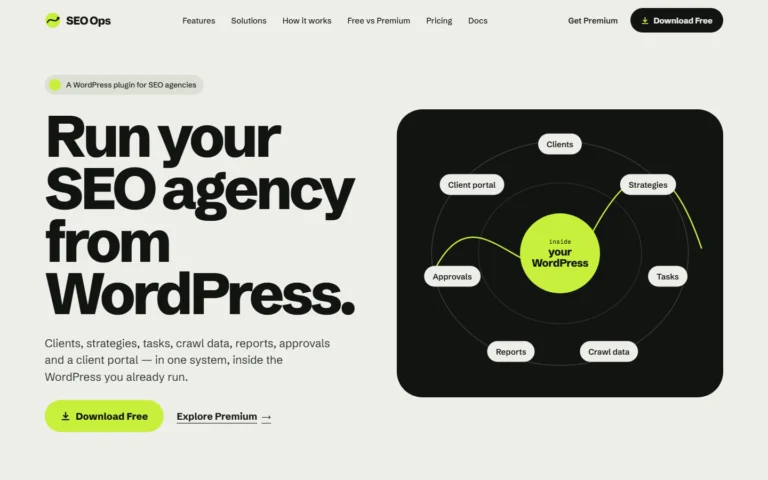
Screenshot of the SEO Ops website: "Run your SEO agency from WordPress", with a diagram of clients, strategies, tasks, reports, crawl data, approvals and client portal inside WordPress. Tool · Live SEO Ops A WordPress plugin that keeps SEO clients, strategies, tasks, crawl data, reports, approvals and a client portal in one system. Built with: WordPress plugin (WordPress 6.5+, PHP 8.1+), runs on your own WordPress install View tool →

Imports Screaming Frog crawl data for technical analysis and holds the resulting recommendations as tasks.

Questions

Architecture: questions answered.

Does my site need to worry about crawl budget?

Google says its crawl budget guide is intended mainly for sites of about 1 million or more pages that change weekly, sites of 10,000 or more pages that change daily, and sites with many URLs reported as “Discovered - currently not indexed”. It describes these figures as rough estimates, not exact thresholds.

Are subdirectories or subdomains better?

Google does not name a winner. It says segmenting by subdirectories can be easier to manage, while partitioning topics into subdomains can make sense depending on the site’s topic or industry. One consequence for crawling is that Google treats each hostname as a separate site with its own crawl budget.

Can Google follow links that are added with JavaScript?

Yes, provided they use an a element with an href attribute. Google cannot reliably extract URLs from elements that only act as links through script events.

How should empty filter combinations behave?

Google recommends returning a real 404 status for a filter combination with no results, under the URL where it was requested, rather than redirecting to a common error page.

Is the structure helping or hiding your pages?

Tell us about the site, how it is built and what it is doing in search. We will say how we would investigate it.

Talk to an SEO specialist