Technical SEO · Guide

Crawling and indexing: which pages Google can reach, and which it keeps.

Crawling is Google fetching a URL; indexing is Google deciding to store and use what it found. A page that stops at either step cannot appear in search, which is why this is where technical SEO usually starts.

Talk to an SEO specialist More on Technical SEO

Technical SEO audits

Google treats crawling and indexing as separate steps. For Google Search, not every page that is crawled will necessarily be indexed: after crawling, each page is evaluated, consolidated and assessed for its suitability for the index (Crawl Budget Management). An audit of this area asks, URL by URL, where on that path a page stops, and why.

Search Console supplies Google’s side of the evidence. The URL Inspection tool reports how Google discovered a URL, whether it could crawl it and what obstacles it met, and which canonical Google chose. Its live test checks whether a page might be indexable now, but it cannot predict which URL Google will pick as canonical, and “URL is on Google” means a page is eligible to appear, not that it will. When traffic has fallen, Google’s guide to debugging search traffic drops separates the possible causes, from algorithmic updates to technical issues across a site, so that a fault is not blamed on the wrong thing.

We cover technical SEO audits as part of technical SEO. A tool export is not an audit: we read the site, form a hypothesis, test it, then write findings your developers can act on, in order of impact. The SEO audit page describes what an audit can cover.
Source: Google Search Central: Crawl Budget Management

XML sitemaps and robots.txt

A robots.txt file tells crawlers which URLs they can access, mainly to avoid overloading a site with requests. Google is explicit that it does not keep a page out of search: a blocked URL can still be indexed, without a description, if other pages link to it, and noindex or password protection are the alternatives (Robots.txt Introduction and Guide). Blocking also has side effects on rendering. Google Search will not render JavaScript from blocked files or on blocked pages (JavaScript SEO basics), and Google advises against blocking resources whose absence makes a page harder to understand.

A sitemap lists the URLs you want crawled. It helps discovery but does not guarantee that anything is crawled or indexed. Google says larger sites, new sites with few external links, and sites with a lot of video, image or news content might need one, and that a comprehensively linked site of about 500 pages or fewer might not need one (What Is a Sitemap). A single sitemap is limited to 50MB uncompressed or 50,000 URLs, so larger sites use several files and an index file. Google ignores priority and changefreq, and uses lastmod only where it is consistently and verifiably accurate (Build and Submit a Sitemap).

We cover XML sitemaps and robots.txt as part of crawling and indexing. On the technical SEO page they sit under two questions: whether a page can be found (internal links, sitemaps, orphan pages) and whether it is allowed and affordable to crawl (robots.txt, status codes, crawl budget, logs).

Source: Google Search Central: Robots.txt Introduction and Guide

Canonicals and duplication

Canonicalisation is the process of choosing the representative URL from a set of duplicates. Google lists several ordinary causes: region variants, device variants, HTTP and HTTPS variants, sorting and filtering functions, and accidental variants such as a demo site left open to crawlers. Some duplication is normal and is not a breach of Google’s spam policies, but it can confuse users and make performance harder to track (What is URL Canonicalization).

You can state a preference, but Google makes the decision: indicating a canonical preference is a hint, not a rule (Google Search Central). In order of strength, Google lists redirects and rel="canonical" as strong signals and sitemap inclusion as a weak one, and the methods can be combined. Signals that disagree work against you, for example a sitemap naming one URL and a canonical tag naming another. Google also advises against using robots.txt for canonicalisation, recommends a self-referential canonical on the canonical page, and recommends linking internally to the canonical URL. If JavaScript is involved, the canonical belongs in the HTML source and should not be changed by script (How to Specify a Canonical).

The Google-selected canonical shown in URL Inspection is the check that matters, because it shows which version Google chose. We cover canonicals and duplication as part of crawling and indexing, under the question of which version counts. Same-language regional duplicates overlap with our international work.

Source: Google Search Central: How to Specify a Canonical with rel="canonical" and Other Methods

Log-file analysis

Server logs record every request a site receives, including crawler requests, so they show what bots actually fetched rather than what was expected. Search Console’s Crawl Stats report is Google’s own view of the same activity: total requests, download size, average response time, host status, response codes, file types, crawl purpose and Googlebot type. Google notes that some requests may not be counted, so the figures can differ slightly from your logs, that each hop in a redirect chain is counted as a request, and that the report is aimed at advanced users.

Response codes in logs matter because Google uses them to set its pace. A 429 or a 5xx response prompts Google’s crawlers to slow down, while a stable, quick site lets the crawl capacity limit rise (Crawl Budget Management, How HTTP Status Codes Affect Google’s Crawlers). Google also says client-side analytics may not give a full picture of Googlebot activity, which is another reason to read server-side records.

A log line claiming to be Googlebot is not proof. Google documents a check: run a reverse DNS lookup on the IP address, confirm the domain is googlebot.com, google.com or googleusercontent.com, then run a forward lookup and confirm it returns the same IP, or match addresses against Google’s published ranges (Verify Requests from Google Crawlers and Fetchers). We cover log-file analysis as part of crawling and indexing, and it connects to our large-site work.

Source: Google Search Console Help: Crawl Stats report

What Cultured Digital covers: Crawling and indexing

Technical SEO audits, XML sitemaps and robots.txt, canonicals and duplication, and log-file analysis make up the crawling and indexing group of our technical SEO work. Tools report symptoms; the work is finding which step is failing, and why.

Findings are written as tickets with the fault, the evidence, the fix and the acceptance test. If your developers have no capacity, we can make the changes. We do not promise rankings or traffic numbers: we set out the opportunity and the evidence, and measure against it.

Built by us

Tools built by Cultured Digital: Crawling and indexing

Two tools we built relate to parts of this work.

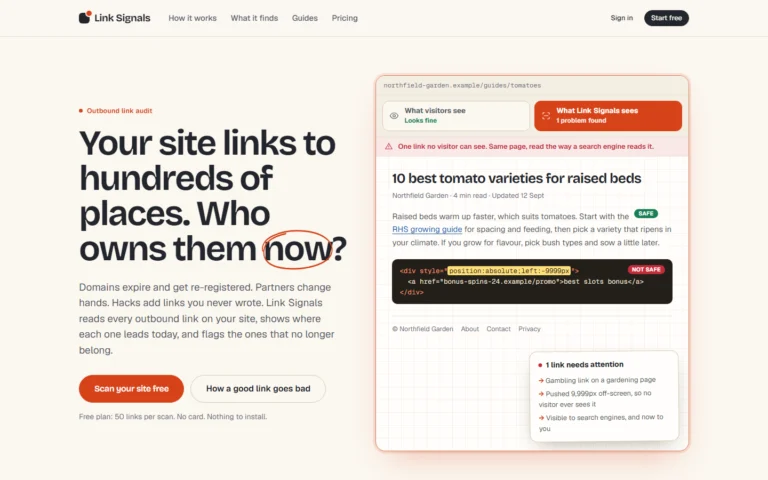
Screenshot of the Link Signals website: "Your site links to hundreds of places. Who owns them now?", with an example page showing a hidden link that visitors cannot see but search engines can. Tool · Live Link Signals Reads every outbound link on a website, shows where each one leads today, and flags links that no longer belong. View tool →

Scans a site through its sitemap, including sitemap indexes and compressed files, to collect its outbound links.

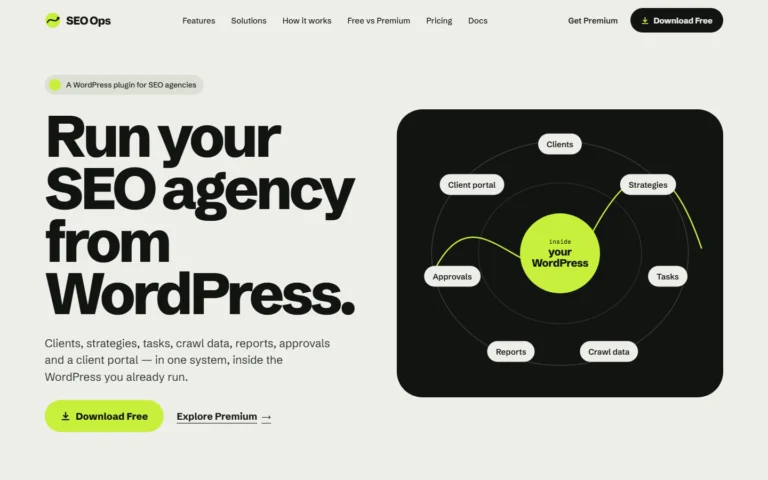
Screenshot of the SEO Ops website: "Run your SEO agency from WordPress", with a diagram of clients, strategies, tasks, reports, crawl data, approvals and client portal inside WordPress. Tool · Live SEO Ops A WordPress plugin that keeps SEO clients, strategies, tasks, crawl data, reports, approvals and a client portal in one system. Built with: WordPress plugin (WordPress 6.5+, PHP 8.1+), runs on your own WordPress install View tool →

Imports Screaming Frog crawl data and holds technical findings and recommendations as tasks.

Insights on this topic

AI Search · 6 minWhat blocking Google-Extended, GPTBot or PerplexityBot actually doesBlocking an AI crawler is a one-line change in robots.txt, but each line controls something different. Here is what Google, OpenAI and Perplexity document for each token, and…Read the article → Technical SEO · 6 minCrawl budget: when it matters and when it does notCrawl budget is one of the most over-diagnosed problems in SEO. Google’s own guide says who it is for, and for most sites the honest answer is that…Read the article → Search · 6 minDiagnosing a traffic drop before acting on itWhen organic traffic falls, the pressure to do something quickly is real, and the wrong response can make matters worse. Google's own guidance gives a way to separate…Read the article → Technical SEO · 6 minHow Google picks a canonical URL, and why your preference is only a hintWhen the same content is reachable at several URLs, Google clusters them and chooses one to show. You can state a preference, but the choice stays with Google,…Read the article → Technical SEO · 6 minWhen a working link is reported as broken: 403s, 429s and bot protectionBroken-link reports are only as good as their classification. Two well-known sites were reported as dead while working for every human visitor, and the same behaviour can hurt…Read the article → Development · 6 minLaunching a product site: the search basics Google documentsA product launch has a long list of things to decide, and search is usually near the bottom. Google’s documentation is short on product advice but specific about…Read the article →

Questions

Crawling and indexing: questions answered.

Does blocking a URL in robots.txt remove it from Google?

No. Google says robots.txt manages crawling, not indexing: a blocked URL can still appear in results, without a description, if other pages link to it. To keep a page out of search, use noindex or password protection.

Does every site need an XML sitemap?

Not necessarily. Google says a comprehensively linked site of about 500 pages or fewer might not need one, while larger sites, new sites with few external links and sites with a lot of rich media are more likely to benefit. A sitemap helps discovery but does not guarantee crawling or indexing.

If I set a canonical URL, will Google always use it?

No. Google treats a canonical as a hint, not a rule, and weighs it with other signals such as redirects, HTTPS and sitemap inclusion. URL Inspection shows the canonical Google actually selected.

Do I need log files if I have Search Console?

Google’s Crawl Stats report is a useful view but may not count every request, so its numbers can differ slightly from your server logs. Logs also let you check individual requests, including whether a visitor claiming to be Googlebot really is.

Is Google finding the right pages?

Tell us what is happening, what has been tried and what the platform is. We will say how we would investigate it.

Talk to an SEO specialist