Web Development · Guide

What it takes to build a website that search can read.

A website is the thing search engines crawl, render and index, so choices made while it is being built decide much of what they can understand. This page explains what SEO-first, WordPress and custom builds mean in search terms, using Google's own documentation.

Talk to an SEO specialist More on Web Development

SEO-first websites

Google has no page called "SEO-first". What its documentation does cover are the decisions that are cheapest to make at the start of a build. The SEO Starter Guide says that when you set up or redo a site it can be good to organise it logically, because that helps search engines and people understand how pages relate. It also says search engines will probably understand your pages as they are today, so this is a long-term benefit rather than an emergency.

URLs are the clearest example. Google's URL structure guidance recommends readable words rather than long ID numbers, hyphens rather than underscores to separate words, and as few parameters as possible. It warns that URLs are case sensitive and that URL fragments should not be used to change page content. The Starter Guide adds that grouping topically similar pages in directories can help Google learn how often different parts of a large site change.

The same logic applies to anything a crawler must read: titles, headings, links, structured data, the HTML that carries the content. These are far easier to get right in the first template than to retrofit across thousands of pages.

Google also says it should see a page the way an average user does, which means it needs access to the same resources as the browser. If important components such as CSS and JavaScript are hidden from it, Google might not understand the pages, and they may not show up in search or rank well. Build configuration and robots rules are therefore part of the build, and the URL Inspection tool in Search Console shows how Google sees a page.
Source: Google Search Central: SEO Starter Guide: The Basics

WordPress development

Google does not recommend WordPress, or any other CMS, over another, and it has no guide to choosing one. What it documents is how search relates to CMS output. The sitemap guide says that if you use a CMS such as WordPress it is likely a sitemap is already available. The Starter Guide says most CMSes turn the titles you write into the HTML title element. The structured data introduction notes that a CMS user may not be able to edit HTML directly and may need a settings page or plugin to add markup.

So for a WordPress site, what matters is what the theme and plugins actually output: titles, canonical tags, sitemaps, structured data, and the mobile layout. Google recommends responsive design for mobile sites as the easiest pattern to implement and maintain, and it uses the mobile version of content for indexing and ranking. With responsive design the same HTML is served on the same URL for every device, so the content and metadata are the same on mobile and desktop. Dynamic serving and separate mobile URLs need extra care to keep the versions equivalent.

We cover WordPress development for sites that need to be fast and search-friendly, and we regard WordPress as a strong fit for many content sites. SEO Ops, our own WordPress plugin, is built for WordPress 6.5+ and PHP 8.1+ and runs on your own install. Our article on WordPress launch checks that protect rankings is also relevant.

Source: Google Search Central: Intro to How Structured Data Markup Works

Custom web development

A custom build gives full control over the HTML, URLs and rendering, which is also where risk enters. Google's JavaScript SEO basics explain that pages are crawled, rendered and indexed in phases, and that a page using an app shell may need JavaScript executed before its content exists. Google runs JavaScript, but notes that server-side or pre-rendering is still a great idea, because it makes a site faster and not every bot runs JavaScript.

The same page lists the details a custom build must get right. Links need to be a elements with an href. Client-side routing should use the History API, not URL fragments. Meaningful HTTP status codes tell Googlebot when a page is missing or has moved, and single-page apps need a strategy to avoid soft 404 errors. Duplicated or conflicting canonical tags can lead to unexpected results. Google also says that all pages returning a 200 status are queued for rendering, which may happen within seconds or take longer, so content that exists only after JavaScript runs depends on that queue.

Where a custom build is the better answer than WordPress, we build that, with content in the HTML and JavaScript kept minimal. We can lead the build, join your team, or specify the SEO requirements and review the result. The rendering questions are covered in more depth under rendering in Technical SEO.

Source: Google Search Central: Understand JavaScript SEO Basics

What Cultured Digital covers: Websites

We build websites with search in the architecture rather than in a checklist at the end. The usual sequence is design, build, launch, then call an SEO to fix it; we reverse that, so search requirements shape the build from the first template. That covers URLs that are logical, stable and human-readable; templates with semantic HTML and real headings; content in the HTML with JavaScript kept minimal; structured data designed with the content model; redirects mapped before launch and tested after; and a performance budget rather than a hope.

It covers SEO-first websites, WordPress development and custom web development. We are not a generic web design agency, and we do not run PPC or social. Related pages: rebuilds and migrations, products and ongoing development.

Built by us

Tools built by Cultured Digital: Websites

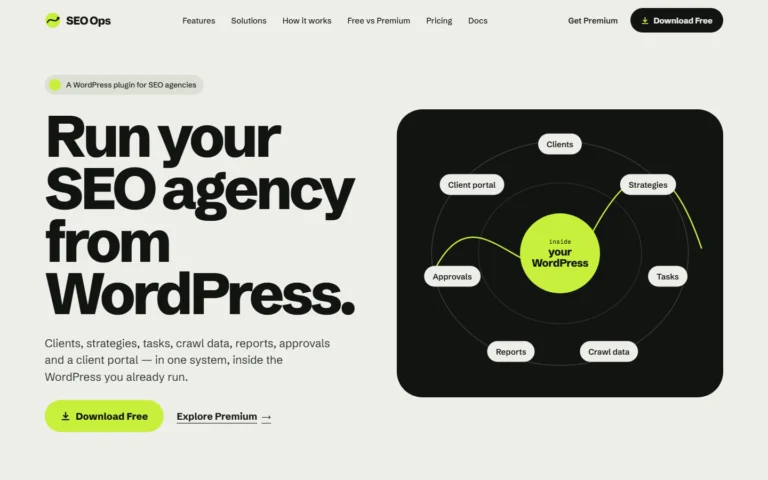
SEO Ops is a WordPress plugin built by Cultured Digital.

Screenshot of the SEO Ops website: "Run your SEO agency from WordPress", with a diagram of clients, strategies, tasks, reports, crawl data, approvals and client portal inside WordPress. Tool · Live SEO Ops A WordPress plugin that keeps SEO clients, strategies, tasks, crawl data, reports, approvals and a client portal in one system. Built with: WordPress plugin (WordPress 6.5+, PHP 8.1+), runs on your own WordPress install View tool →

A WordPress plugin (WordPress 6.5+, PHP 8.1+) that runs on your own WordPress install.

Questions

Websites: questions answered.

Does Google prefer WordPress?

Google has no page recommending WordPress or any other CMS. Its documentation treats a CMS as one way of producing HTML, sitemaps and markup, so what counts is the output of your particular theme and plugins.

Do you only use WordPress?

No. WordPress is a strong fit for many content sites. Where a custom build is the better answer, we build that.

Can a JavaScript site rank in Google?

Google runs JavaScript with an evergreen version of Chromium, but pages are crawled, rendered and indexed in phases and there are limitations. Google's own documentation still describes server-side or pre-rendering as a great idea.

Are you a web design agency?

No. We build websites and products with search in mind, and design is part of that, but we are not a generic web design agency.

Can you work with our existing developers?

Yes. We can lead the build, join your team, or specify the SEO requirements and review the result.

Planning a build? Start with search.

Tell us what's being built and what's at stake. We'll say what has to be decided before the first line of code.

Talk to an SEO specialist